
MemberForm.vue
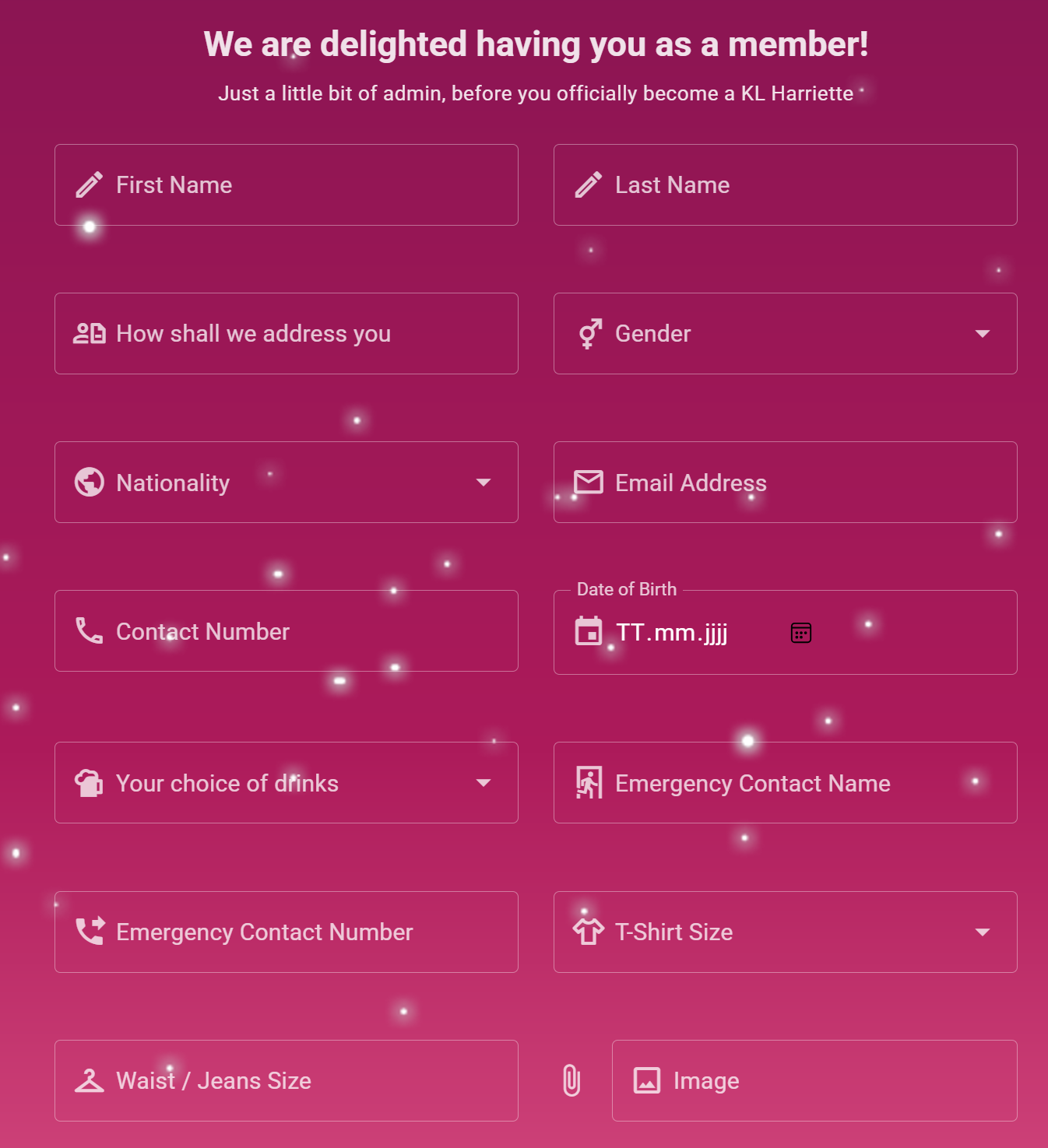
This component renders the member registration form (tab) at the Run with Us page.
Props
| Name | Type | Required | Default |
|---|---|---|---|
formItems | Object | ✅ | `` |
Used by
Functions
generateValidationRules
Generates an array of validation rules for a given field.
Parameters:
field: - The field object containing validation criteria.field.required: - Indicates if the field is mandatory.field.minLength: - Minimum length required for the field's value.field.maxLength: - Maximum length allowed for the field's value.field.min: - Minimum numeric value allowed for the field.field.max: - Maximum numeric value allowed for the field.field.type: - Type of the field, e.g., "email" for email validation.field.regex: - Custom regular expression for field validation.
base64ToFile
Converts a Base64 string to a File object.
Parameters:
base64String: - The Base64 string to convert.fileName: - The desired file name for the output File object.
fetchMockData
Fetches mock data from Mockaroo API and updates the formData object. This function is used to populate the form fields with sample data for testing and development purposes.
Info: this is automatically disabled in production environment
deleteUnsubmittedFiles
Deletes any files uploaded for any member application filled, but not yet submitted. Called when the component is unmounted and when the user navigates away from the page. Uses the upload/files endpoint to delete the files.
handleFileUpload
Handles file uploads (profile image) for a member applications.
Parameters:
file: - The file to be uploaded.
fetchSchema
Fetches the schema for the applicant table / form from Strapi content-type-builder/content-types/api::applicant.applicant endpoint and initializes the form fields with the schema. A number of transformation is made to fit the form requirements. This function is called when the component is mounted.
submitForm
Submits the form data to the strapi backend. This function is called when the form is submitted. It validates the form data using Vuetify's built-in form validation, and if valid, it creates a new applicant in the Strapi backend by sending a POST request to the /applicants?status=draft endpoint. If the request is successful, it shows a confirmation dialog and resets the form data and validation. If the request fails, it shows an error dialog.
sanitize
No description.
getComponentProps
Takes a field definition and an index into the formData array and returns props that can be spread onto a Vuetify component to render the field. The props returned depend on the type of the field.
For enumeration and relation fields, the props returned include:
- vModel: The value of the field in the formData array, coerced to an array if necessary.
- prepend-inner-icon: The icon to display next to the field, if any.
- hint: The hint text to display below the field, if any.
- label: The label to display above the field.
- items: The items to display in the enumeration field, if any.
- item-title: The key to use for the title of each item.
- item-value: The key to use for the value of each item.
- rules: The validation rules for the field, if any.
For media fields, the props returned include:
- vModel: The value of the field in the formData array, coerced to an array if necessary.
- prepend-inner-icon: The icon to display next to the field, if any.
- hint: The hint text to display below the field, if any.
- label: The label to display above the field.
- accept: The MIME type or types to accept for file uploads.
- chips: Whether to display the uploaded file as a chip.
- clearable: Whether to display a clear button next to the field.
- show-size: Whether to display the size of the uploaded file.
- hide-details: Whether to hide the file input details.
- onUpdate:modelValue: A function to call when the user selects a file.
For other fields, the props returned include:
- vModel: The value of the field in the formData array.
- prepend-inner-icon: The icon to display next to the field, if any.
- hint: The hint text to display below the field, if any.
- label: The label to display above the field.
- type: The type of the field, if any.
- rules: The validation rules for the field, if any.
Parameters:
field: - The field definition.index: - The index into the formData array.tooltipProps: - Props to spread onto a Vuetify component for a tooltip.
loadComponent
Loads a Vuetify component by name from a predefined set of components.
Parameters:
name: - The name of the component to load.
loadAllComponents
Loads all Vuetify components from a predefined set of components for a given form definition.