
RegisterGuest.vue
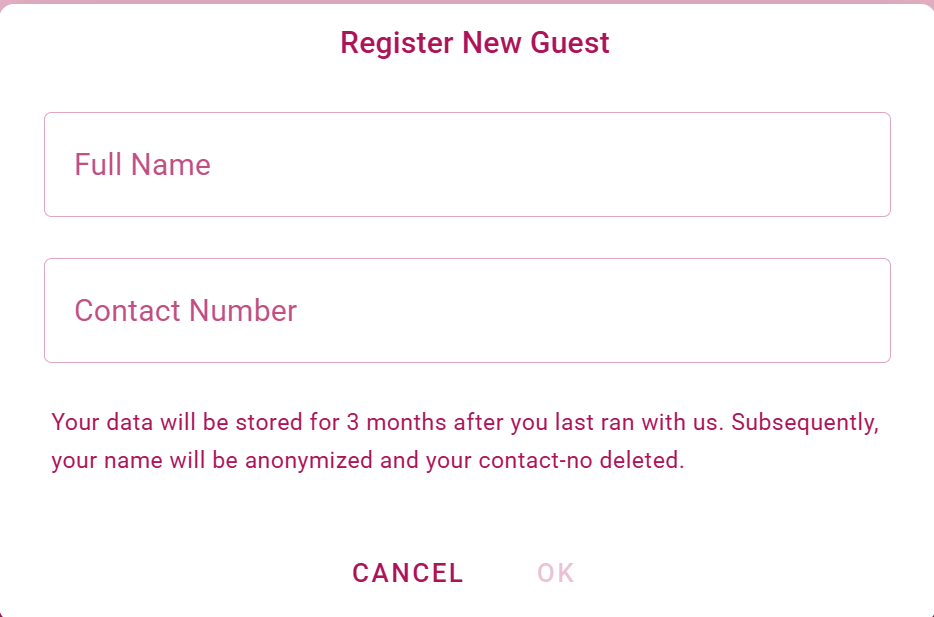
This component opens a popup dialog and allows to add a new guest to our guest list.
Emits
update:modelValue
Used by
Used Stores
Functions
buildValidationRules
Generates an array of validation rules based on the specifications provided in the field object. These rules are used to validate form input fields in a Vue.js component.
Parameters:
field: - The field object containing validation criteria.field.required: - If true, the field is mandatory.field.minLength: - Minimum length required for the field's value.field.maxLength: - Maximum length allowed for the field's value.field.min: - Minimum numeric value allowed for the field.field.max: - Maximum numeric value allowed for the field.field.type: - Type of the field, e.g., "email" for email validation.field.regex: - Custom regular expression for field validation.
closeRegisterDialog
Closes the add Guest dialog by emitting an event to update the model value to false. Resets the add Guest form and form validation state, and clears the new guest's data.
submitNewGuest
Handles the submission of the new guest registration form. First validates the form using the validate method of the registerForm ref.
If the form is valid, the guest data is posted to the backend API using the /guests endpoint of the backend.
If the request is successful, the guest is registered and the dialog is closed.
If the request fails, an error message is displayed to the user.
If the fromSignInSheet property is true, the guest is registered for the run immediately after registration.